Picture guide
How to show search ads only on Google Search
Six clicks, each one circled on a real Google Ads screen. Your search campaign then stops buying clicks on partner websites and on the Display Network. Your WarmClicks report shows what those clicks cost you and how many became customers.
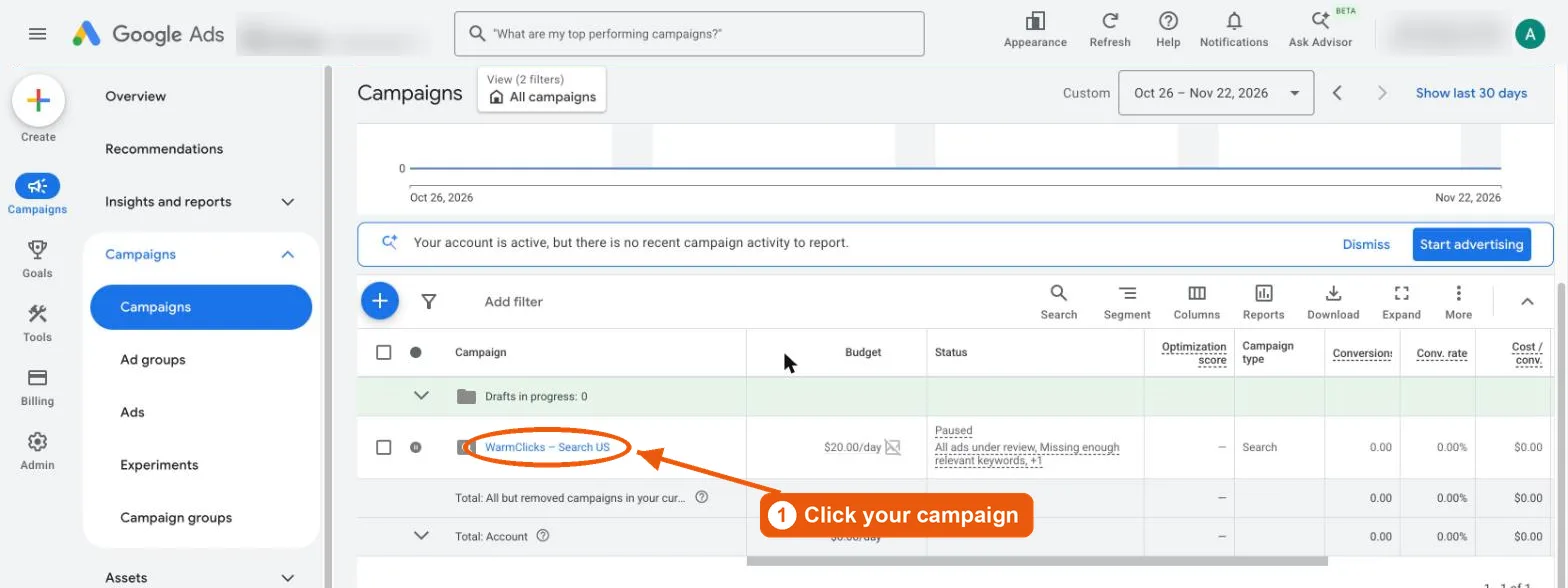
1Open ads.google.com, click Campaigns in the bar on the left and then the name of your campaign.
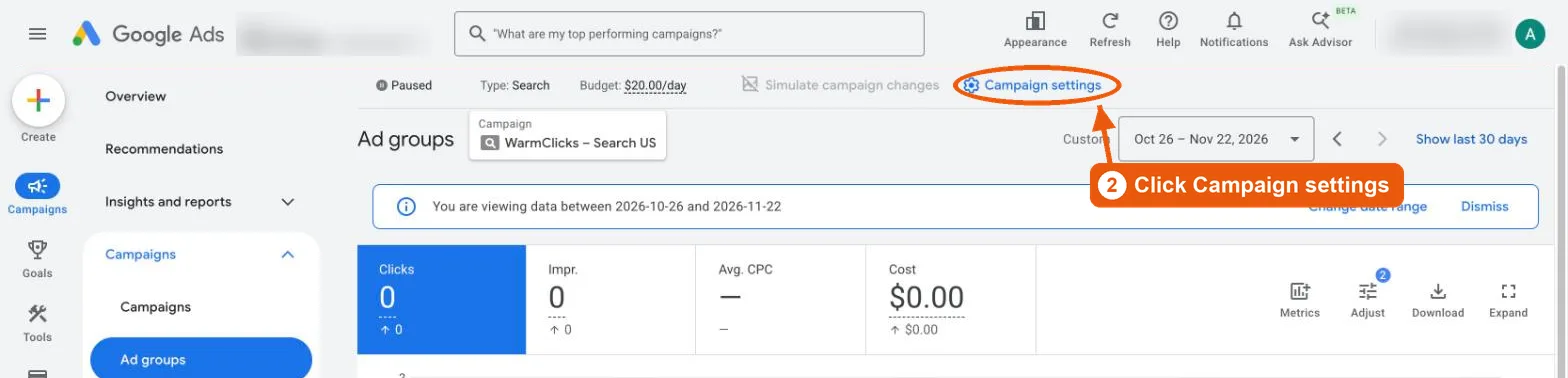
2Click Campaign settings at the top.
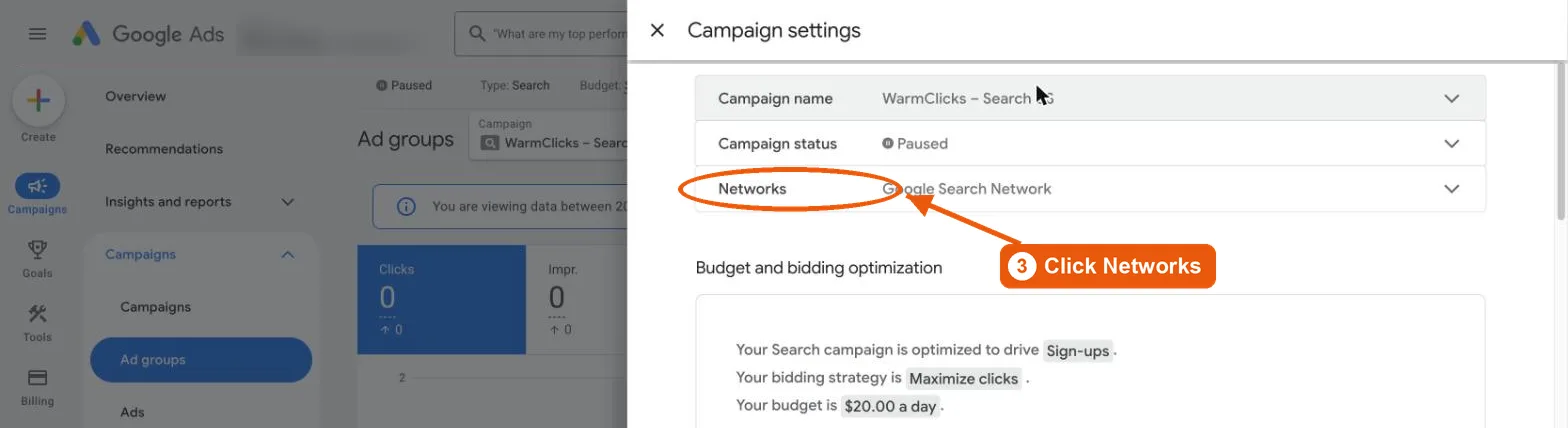
3Click Networks.
4–6Untick Include Google search partners (4) and Include Google Display Network (5), so both boxes are empty like here. Click Save (6).
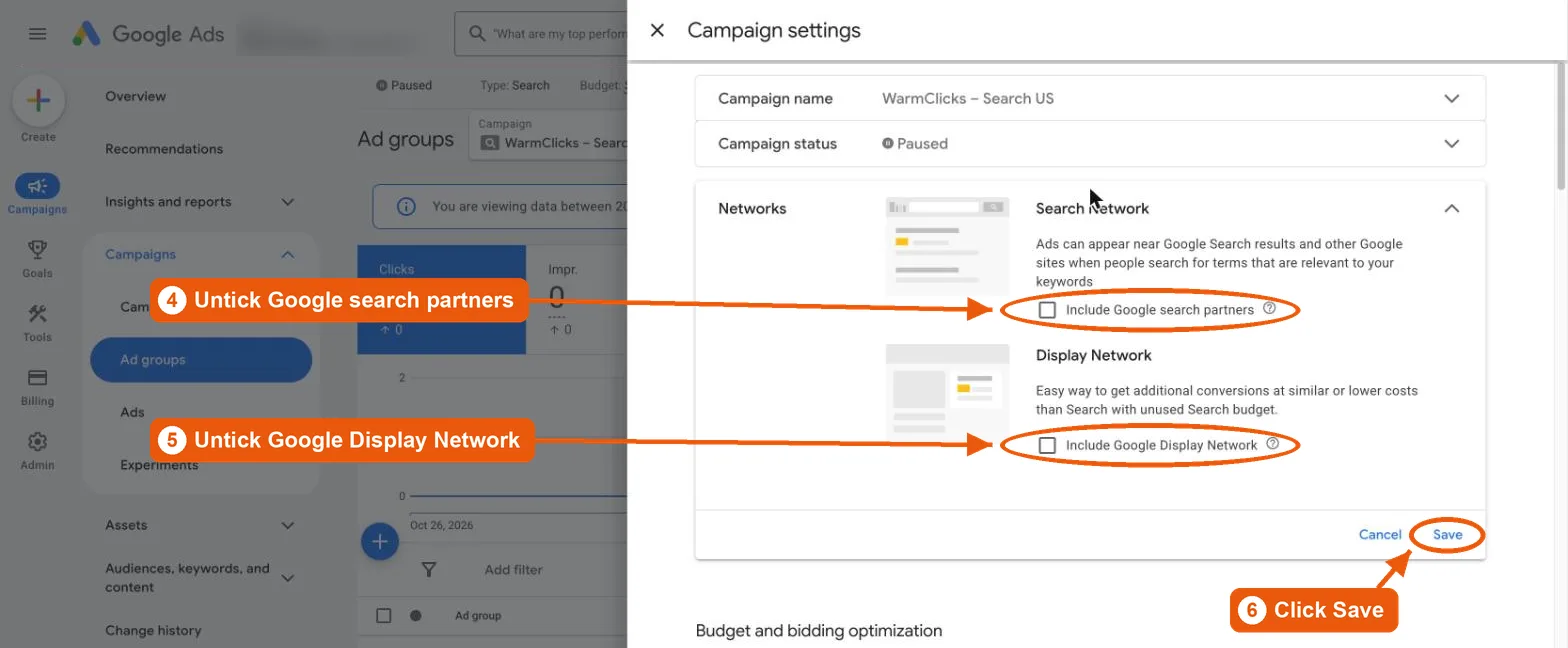
Do this for every search campaign. Performance Max campaigns have no such boxes.
Best on a computer: the screens above are ads.google.com in a desktop browser. On a phone, tap a picture to open it full size.
Screens from Google Ads, November 22, 2026. Google sometimes moves buttons; if one looks different, write to connect@warmclicks.com.